Vibe-coded sites look finished, but often have invisible accessibility failures, bloat and sustainability costs are invisible.
AI coding platforms have made something genuinely remarkable possible: a working website or web app in an afternoon, without a developer. Tools like Lovable, v0, Bolt and Cursor have lowered the barrier to building significantly, and there are real use cases where that speed is exactly what’s needed.
The conversation around vibe coding tends to focus on what these tools produce. Does it work? Does it look right? Can it scale? These are fair questions, and there’s no shortage of content exploring them. But there’s a dimension of quality that rarely comes up in those conversations, partly because it’s invisible to anyone who doesn’t know to look for it.
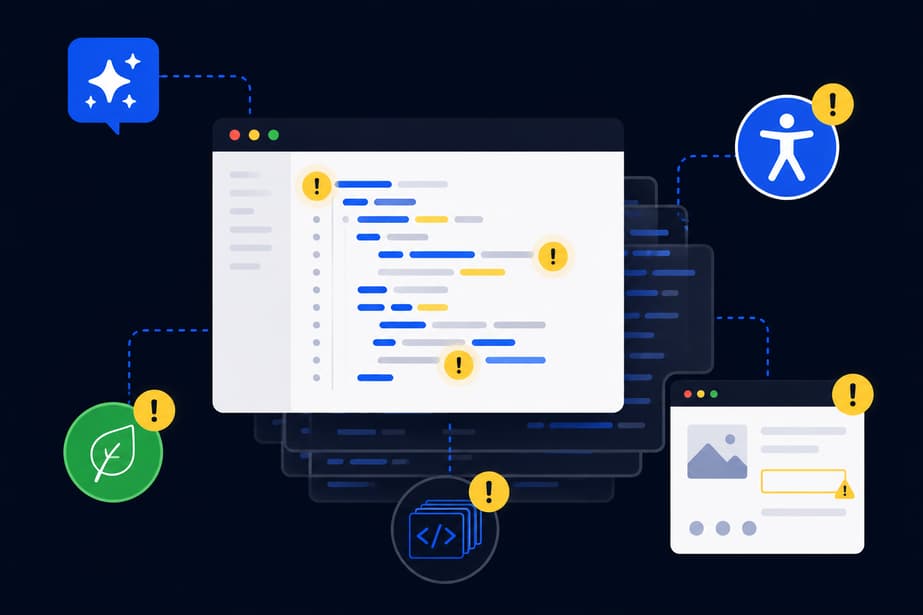
If you’re using AI platforms to build, or commissioning work from someone who is, the things most likely to cause problems aren’t the ones you can see in the browser.
Accessibility doesn’t happen by default
Vibe coding tools are optimised to produce something that functions visually. They are not optimised to produce something that works for everyone. That distinction matters more than it might initially seem.
The 2026 WebAIM Million report – an annual audit of the top one million websites – found that 95.9% of home pages now contain detectable accessibility failures. That figure has increased for the first time in six years, and the report identifies AI-assisted code generation as a likely contributor. It’s a reasonable hypothesis. But there’s a more structural explanation than simply “accessibility isn’t in the brief.”
AI models are trained on the existing web. And the existing web has always had an accessibility problem. The same WebAIM report has recorded the same six failure types – missing alt text, low contrast, unlabelled inputs, empty buttons, missing document language, empty links – at the top of the list for seven consecutive years. These aren’t edge cases in the training data. They’re the norm. So when a model learns to produce front-end code that looks like the internet, it learns to produce code that mirrors those patterns. The bias isn’t incidental, it’s baked in.
This means the problem isn’t simply that people forget to ask for accessibility. It’s that even when they do, they’re asking a model that has absorbed the habits of a web that largely hasn’t bothered. The model produces what it has learned, and what it has learned reflects a broken baseline.
What makes this harder to accept is that it’s not a new failure mode. The web has had an accessibility problem since the beginning – an internet built predominantly by people who weren’t thinking about the full range of people who would need to use it. AI didn’t introduce that bias, and while now there is an awareness of it, nothing is being done about it. Instead, it’s reproducing it faster and at a greater scale than any individual developer ever could. The output goes live, gets indexed, and in some cases feeds the next round of training. The loop continues.
The specific failures are predictable – and persistent for exactly that reason. Missing alt text on images. Unlabelled form inputs and buttons. Colour contrast that doesn’t meet WCAG standards. Poor keyboard navigation. None of these make the site look broken. In the browser, everything appears to be working. It’s only when you use a screen reader, try to navigate without a mouse, or run an automated accessibility check that the gaps appear. To your users, they will be obvious and could easily be enough to send them elsewhere.
The legal context matters here too. The Equality Act requires that websites don’t discriminate against users with disabilities, and the European Accessibility Act, which came into force in June 2025, extends those requirements across the EU. A site that was generated quickly and launched without any accessibility review isn’t a neutral starting point – it’s a site with likely failures already in it.
Bloat is invisible until it isn’t
AI-generated code tends to be verbose. This isn’t a flaw exactly – it’s a function of how these tools work. They produce code that achieves the task, but they don’t routinely produce the leanest or most efficient version of it. Redundant functions, duplicate state management, oversized component libraries included for a single element, dependencies pulled in for convenience and never trimmed: these are patterns that show up consistently in code produced by AI platforms.
The result is pages that work, but carry more weight than they need to. That weight has consequences. Larger JavaScript bundles mean slower parse times. More dependencies mean more requests. Heavier pages perform worse on slower connections and lower-powered devices, and they score worse on Core Web Vitals – which matters both for user experience and for search visibility.
The frustrating thing is that none of this is visible in a standard browser test on a fast connection. The page loads fine. The interactions feel smooth. It’s only when you look at the page weight, audit the JavaScript bundle, or test on a mid-range device on a 4G connection that the picture changes.
The sustainability cost
Digital carbon is still an underrepresented topic, but it’s becoming harder to ignore, from an ethical and business perspective. Every page load involves data transfer across networks and processing on servers and user devices. The heavier the page, the more energy each visit consumes. Multiply that by thousands or millions of visits, and the inefficiencies in how something is built start to carry real environmental weight.
Vibe-coded sites tend to be heavier than sites built with performance and sustainability as explicit goals. The tools don’t make deliberate decisions about image formats, lazy loading, third-party script management, or CSS efficiency – not unless they’re specifically instructed to, and sometimes not even then. The defaults lean towards completeness over restraint.
There’s also the less-discussed cost of the generation process itself. AI code generation is computationally expensive. When that generation process produces code that then runs inefficiently at scale, the environmental cost sits at both ends: in the building and in the running.
For organisations with sustainability commitments, or who work in sectors where those commitments are scrutinised, this is worth thinking about before the build rather than after.
The confidence problem
Perhaps the most difficult aspect of all of this is that nothing signals there’s a problem. The site works, it looks right; there are no error messages, no broken layouts, no obvious signs that something has been missed.
This is what makes vibe-coded accessibility failures, bloat, and sustainability debt different from a security breach or a database error. Those tend to be more visible. These don’t – not until an accessibility audit brings them to light, or someone runs a performance test, or a complaint comes in, or a screen reader user simply gives up and leaves.
The people building with these tools, or commissioning work built with them, often don’t have the context to know what to check. That’s not a criticism – it’s the nature of a technology that deliberately abstracts away the underlying complexity. But it means the invisible layer of quality stays invisible, and the site goes live assuming everything is fine.
What this means in practice
None of this is an argument against using AI tools in the development process. They have a legitimate place (even in sustainability – because if they can deliver a task within minutes that would have taken a far greater amount of time, resources could be saved), and the speed they offer at certain stages of a project is real. But the output of a vibe coding platform is a starting point, not a finished product – at least not if accessibility, performance, and sustainability are things you care about.
Before anything built this way goes live, it’s worth asking: has someone who understands accessibility looked at this? Has the page weight and JavaScript bundle been audited? Does the code reflect deliberate choices, or the defaults of whatever the model decided to generate?
These are things that can be checked, and fixed. They just don’t happen automatically.
If you’ve built something using an AI platform, or you’re thinking about it, and you’re not sure where these things stand, we offer audits that cover accessibility, performance, and sustainability alongside the technical quality of the code. Get in touch if you’d like to talk through what that would involve.